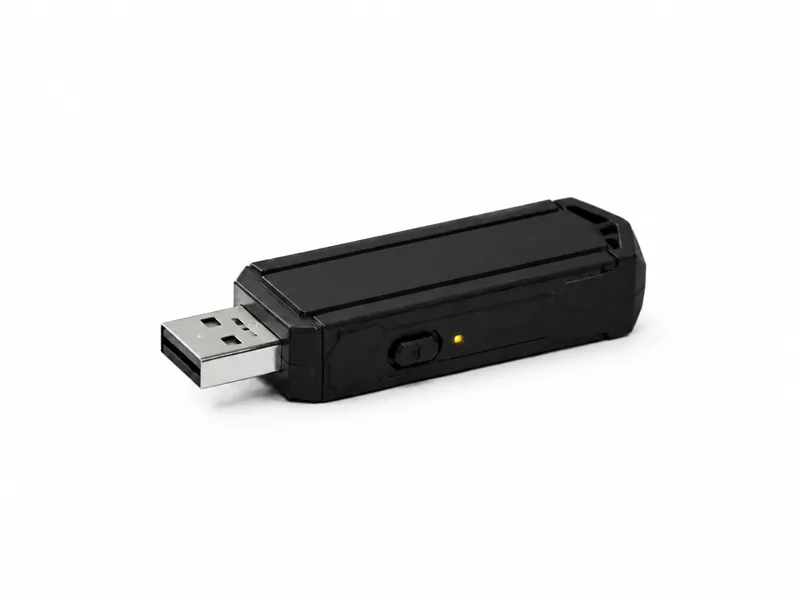
Bash Bunny
A Linux-powered, multi-vector USB platform for advanced, repeatable control validation in an authorized lab.
The Bash Bunny takes the USB trust problem beyond fast keyboard input. It runs its own compact Linux environment, can execute local logic and can present different combinations of USB device classes to the host. In a controlled assessment, that makes it possible to show how one familiar port may suddenly become a keyboard, storage device, serial connection or network adapter—and to test whether defensive controls understand the difference.
Start with the device, then talk through the learning goal, authorised setup and support that make it useful.
Highlights
- Self-contained Linux-powered USB assessment platform
- Keyboard, storage, serial and network device emulation
- Bash and DuckyScript support for controlled test logic
- Designed to test controls beyond removable-storage blocking
Why it is more than a keystroke injector
A Rubber Ducky-style device is centred on keyboard emulation. The Bash Bunny contains a small Linux computer and can combine several USB identities during an approved exercise. To the target it may appear as a keyboard, mass-storage device, serial interface or network adapter, depending on the selected configuration. Local scripts can make decisions and coordinate stages without relying on a separate operator workstation. That combination is why the platform belongs in a more advanced lab: it tests whether controls recognize what a newly attached peripheral becomes, not merely whether a USB drive contains suspicious files.
What multi-vector means in practice
The important word is combination. A lab payload can use keyboard input for one step, expose a controlled file for another, or create a temporary network interface that the monitoring stack must classify. The device can run Bash alongside DuckyScript, which supports clearer sequencing and repeatable cleanup than an improvised series of manual actions. This does not mean every mode defeats every endpoint. It means one piece of equipment can exercise several trust paths and produce richer evidence about how host controls, network controls and analyst workflows interact.
The controls worth testing
A serious assessment should examine more than antivirus. Useful questions include whether USB device control distinguishes allowed and unknown peripheral classes, whether a new network adapter triggers monitoring, whether standard users can launch the tools a payload expects, and whether application allow-listing blocks unapproved interpreters. Endpoint detection may catch unusual process chains, scripting engines, new interfaces or unexpected traffic without identifying the peripheral itself, so analysts should correlate the physical insertion with device, process, network and authentication evidence. Systems that cannot run an endpoint agent need compensating controls such as restricted access, port locks, known-device inventories and change monitoring. The Bash Bunny is valuable precisely because it exposes the seams between those layers.
How it compares with the smaller devices
Choose the Digispark when learning and transparency matter most; it is cheap, constrained and understandable from the microcontroller sketch upward. Choose the Rubber Ducky when the requirement is focused, repeatable keyboard-injection testing. Choose the Bash Bunny when the assessment needs local Linux logic or more than one USB device class. Greater flexibility also means greater responsibility. The Bunny requires more careful payload review, clearer expected outcomes and a stronger recovery plan because an exercise can change the host’s networking or expose several interfaces during one run.
Wireless triggering changes the physical model
Supported Mark II workflows can add remote-trigger or proximity-aware behaviour. Defensively, that changes the question from ‘Who is standing at the keyboard?’ to ‘What active device has been left within range?’ A planted tool may remain quiet until a separate signal or condition appears. Endpoint controls still matter when the payload runs, but they do not solve detection and localization of dormant equipment. High-sensitivity environments should therefore connect USB policy with physical inspections, asset control and monitoring for unexpected wireless emitters rather than treating each discipline as a separate problem.
Scope before insertion
Every run needs a written objective, a reviewed payload, an isolated and recoverable target, named operators and a stop condition. Verify the selected switch position and payload before connection. Remove live credentials and business data from the target, capture the logs needed for the exercise and confirm how any temporary interface or file will be cleaned up. Afterward, restore the target, document the finding and return the device to controlled storage. Never leave it connected to an unapproved system or use an open-ended payload simply to see what happens.