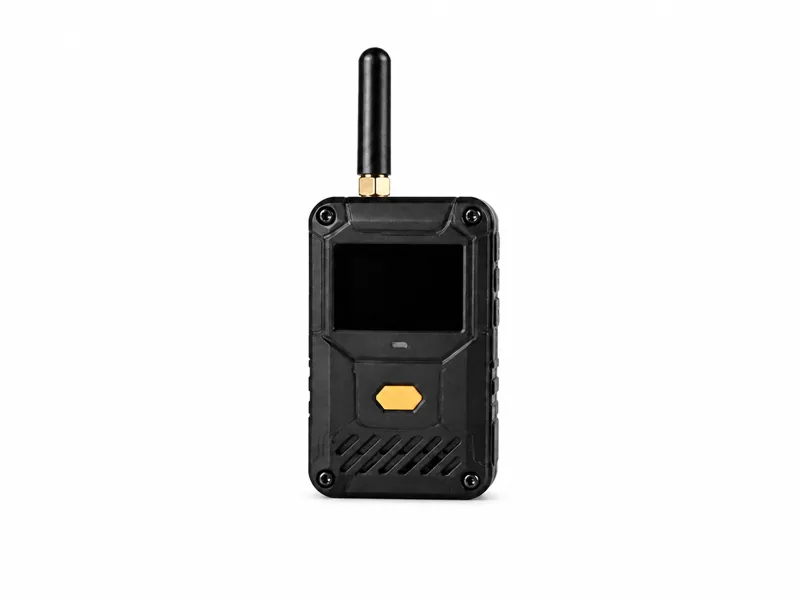
ESP32 Marauder Security Lab Device
A pocket-sized ESP32 Marauder platform for authorized wireless reconnaissance, capture and defensive training.
ESP32 Marauder is the widely used open-source Wi-Fi and Bluetooth security research framework created by justcallmekoko. Running on inexpensive ESP32 hardware—and commonly seen in custom handheld builds or attached to devices such as the Flipper Zero—it brings wireless surveys, selected frame capture, device enumeration and active test functions into a compact platform. That portability makes it an excellent teaching tool and also explains why defenders should understand what it can and cannot do.
Start with the device, then talk through the learning goal, authorised setup and support that make it useful.
Highlights
- Open-source ESP32 Marauder firmware by justcallmekoko
- Portable Wi-Fi and Bluetooth reconnaissance capabilities
- Selected frame capture with SD-card support on compatible builds
- GPS-assisted wireless surveys on supported hardware
Reconnaissance and capture
The passive side is often the most useful starting point. A lab team can inventory visible access points and stations, compare channels and signal observations, inspect probe behaviour and collect selected frames for review on a separate workstation. With compatible GPS hardware, authorized wardriving can map coverage, unexpected emitters or gaps across a site. Bluetooth scanning can support nearby-device awareness and controlled skimmer-detection exercises. These observations are clues rather than verdicts: a MAC address can be randomized, signal strength changes with movement and walls, and seeing a device does not prove that it is malicious.
Active functions require a real lab
Marauder can also transmit specially crafted Wi-Fi frames for functions such as beacon demonstrations, controlled portal exercises, probe testing and deauthentication research. Those transmissions can disrupt or confuse equipment outside the intended test, even when the operator selects the wrong target by accident. Active functions therefore belong in a shielded environment or another setup proven not to reach neighbouring networks. Used properly, they help defenders recognize forced reconnects, duplicate network names, suspicious beacon activity and unsafe client-joining behaviour. Used casually in public, they create interference and legal exposure.
What handshake capture actually means
During an authorized wireless audit, selected authentication material may be captured and saved in a packet-capture file for offline analysis. The Marauder does not turn that capture into the network password and does not directly decrypt protected traffic. Password-strength testing still depends on a separate computer, approved wordlists or other controlled methods, and a clearly defined scope. Strong, unique credentials can make the exercise uneventful—which is a successful result. This distinction matters because pocket-device marketing often collapses ‘captured a handshake’ and ‘broke into the network’ into the same claim when they are not the same thing.
Choose the build with its limits in mind
Classic ESP32 configurations commonly operate only in the 2.4 GHz band and cannot see ordinary 5 GHz or 6 GHz channels without different supported radio hardware. Performance, storage, controls, antennas and available functions vary between official boards, DIY builds and Flipper Zero attachments. A screen-equipped handheld suits stand-alone surveys; SD storage matters when captures must be retained; GPS supports approved coverage mapping. Official hardware offers clearer support, while community builds trade support for flexibility and lower cost. Confirm every feature against the exact board and current firmware. A small ESP32 is excellent for portable observation and teaching, but it does not replace a full-spectrum analyzer or enterprise wireless monitoring.
What defenders can learn from it
A controlled exercise can test whether the team notices duplicate SSIDs, abnormal beacon volume, unexpected deauthentication frames, unsafe probe behaviour or a new transmitter in a restricted area. It can also reveal whether wireless alerts lead to action: who validates the finding, how a device is localized, and how endpoint, access-point and authentication records are correlated. For individual users, the lesson is simpler—disable unnecessary automatic joining, remove old saved networks, treat unexpected portals cautiously and prefer a personal hotspot for sensitive activity. The device is most useful when each capability is tied to one observable defensive question.
Responsible use is part of the setup
Define the permitted location, channels, access points, stations and time window before enabling any transmission. Keep passive survey data protected because device identifiers and location records can still be sensitive. Use test clients and networks owned by the authorizing party, verify that active frames cannot escape the lab and stop immediately if unrelated equipment appears. After the exercise, secure or erase captures according to the agreed retention rule and record the firmware and configuration used. Authorization is not a footer added after the test; it is part of the technical configuration.